

Περιγραφή
The Problem
OpenCart provides no built-in way to verify that your SMTP mail settings are correct. The only way to know if your configuration works is to place a test order and hope the email arrives. If it doesn’t,
you’re left guessing — is it the hostname? The port? The password? The encryption?
The Solution
SMTP Test Button adds a one-click testing tool directly into your OpenCart admin mail settings page (System > Settings > Edit > Mail tab). It tests your SMTP configuration in stages and tells you exactly
what works and what doesn’t — before you save, and without placing any orders.
How It Works
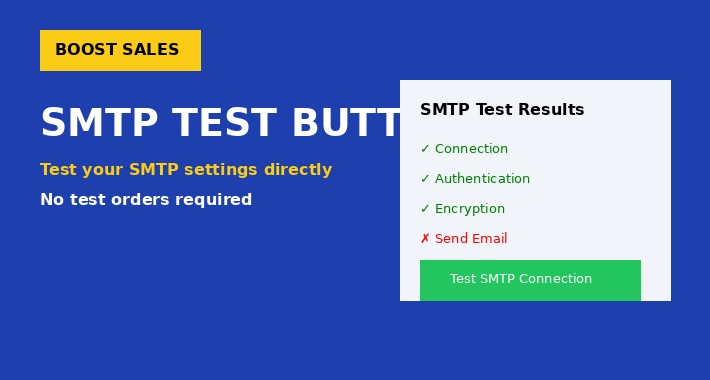
Click the “Test SMTP Connection” button and the extension runs a staged diagnostic against your SMTP server using the values currently in the form (even unsaved changes):
– Stage 1: Connection — Can the server be reached on the specified host and port?
– Stage 2: EHLO Handshake — Does the server accept the SMTP protocol handshake?
– Stage 3: Encryption — Is STARTTLS or SSL negotiated successfully?
– Stage 4: Authentication — Are the username and password accepted?
– Stage 5: Send Test Email (optional) — Enter a recipient address to send an actual test email and confirm full delivery.
Results are displayed instantly as a color-coded table with clear pass/fail status for each stage. No page reload, no guesswork.
Key Features
– One-click SMTP connection testing from the admin panel
– Stage-by-stage diagnostic with clear success/error messages
– Tests unsaved form values — tweak and re-test instantly without saving
– Optional test email delivery to verify end-to-end functionality
– Specific error reporting: server unreachable, wrong port, encryption mismatch, authentication failed
– Clean integration into the existing Mail settings tab — feels native
– No core file modifications (OCMOD-based)
– No new database tables
– Lightweight — no dependencies beyond OpenCart core
Compatibility
– OpenCart 3.0.x (tested on 3.0.3.8)
– PHP 7.3+
– Works with all SMTP providers (Gmail, Outlook, Amazon SES, Mailgun, custom servers, etc.)
– Supports plain, SSL (ssl://), and TLS (tls://) connections